The Two More Mission app
Your coaching.
In your pocket.
You know what to do, when to do it, and exactly how your progress is being measured. Every screen on this page is the real app, with example numbers in it.
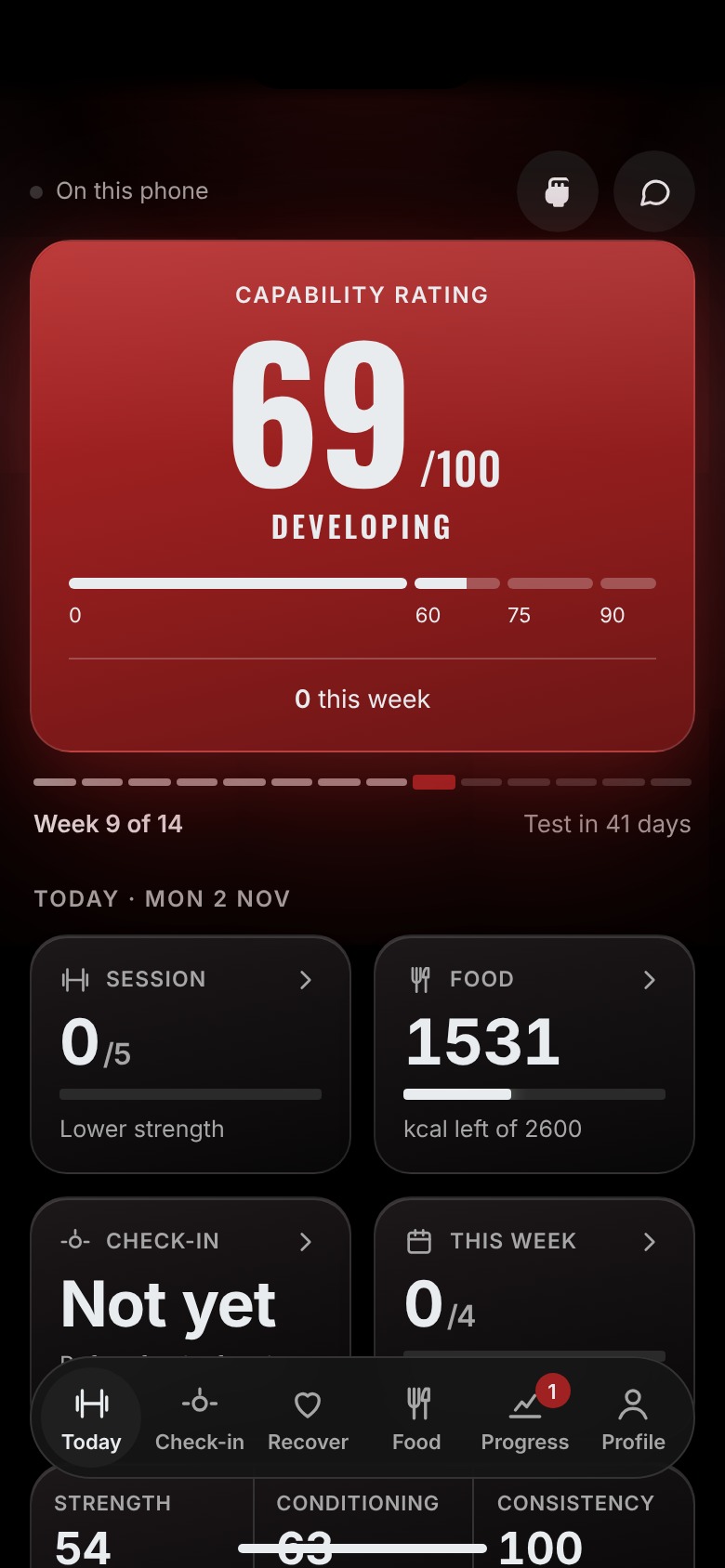
Opens on today, all of it
It tells you what to lift, records what you did, and shows you whether it’s working. No guessing what you’re meant to be doing. No wondering whether it’s happening.
Get the highlights
Everything, one tap apart
Seven tools, built for this coaching and nothing else. Swipe through, or read the detail further down.
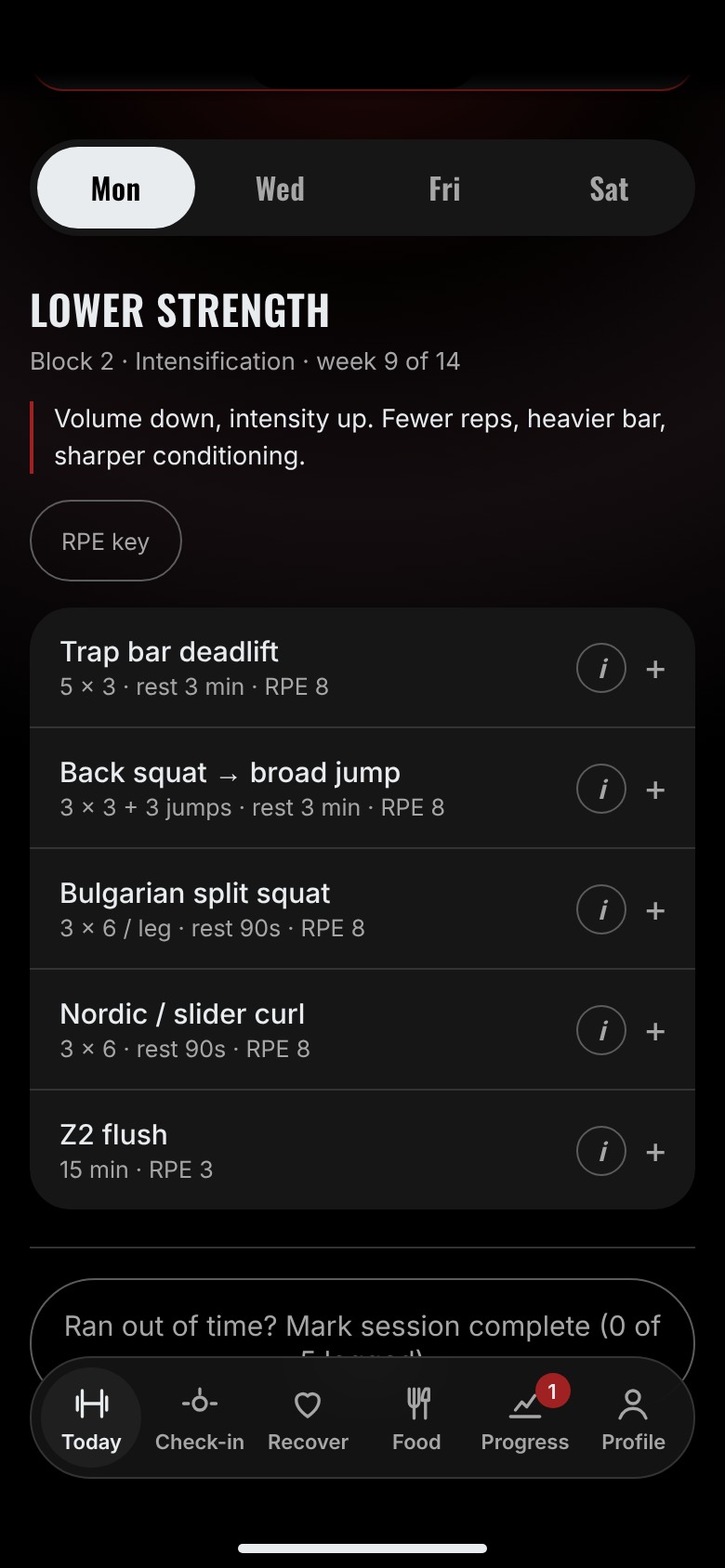
Today’s session, already written
Opens on the session you’re due, with loads worked out from last time.
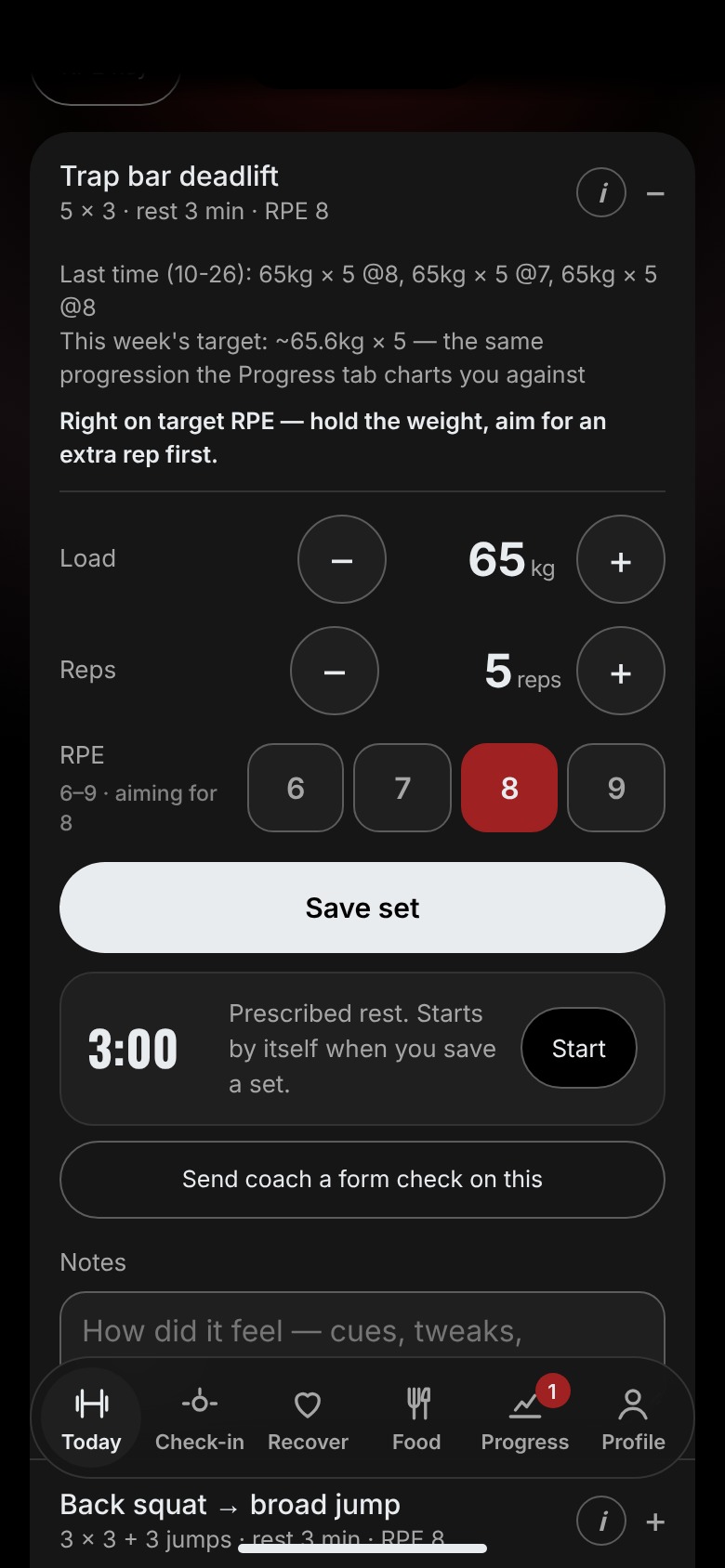
Every set, logged
Weight, reps and effort, with last time’s numbers right above.
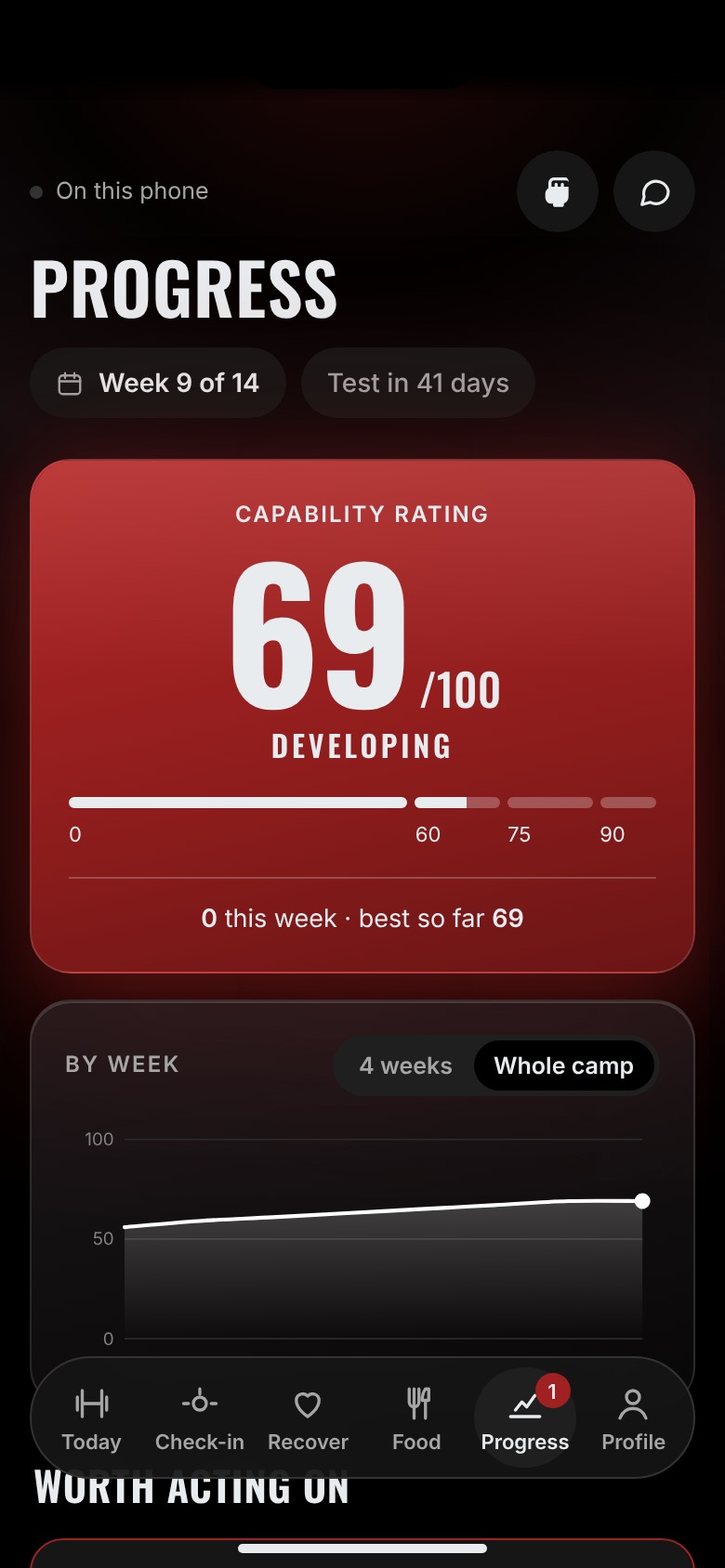
One rating out of 100
Strength, conditioning and consistency, against your own start.
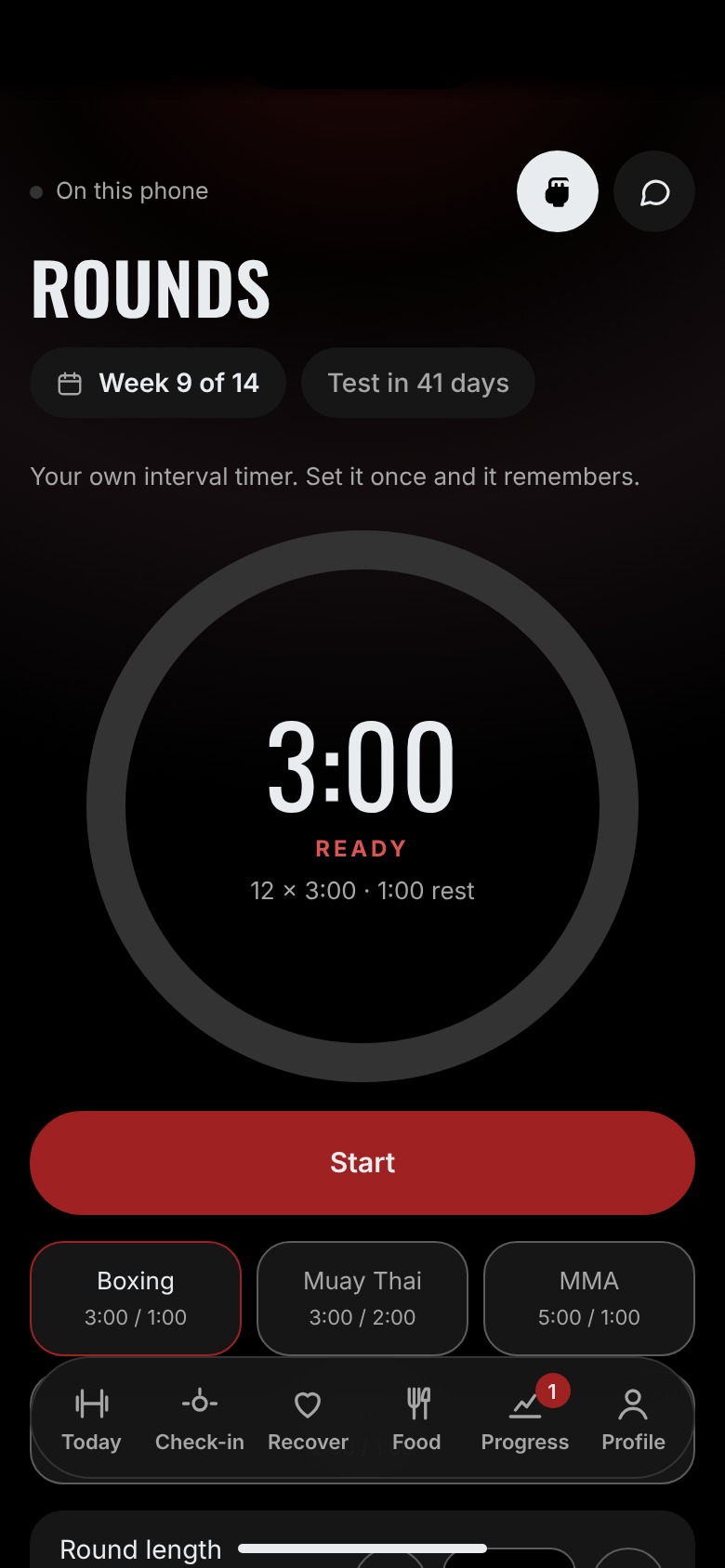
A round timer that keeps ringing
Boxing, Muay Thai and MMA presets. Works with the screen locked.
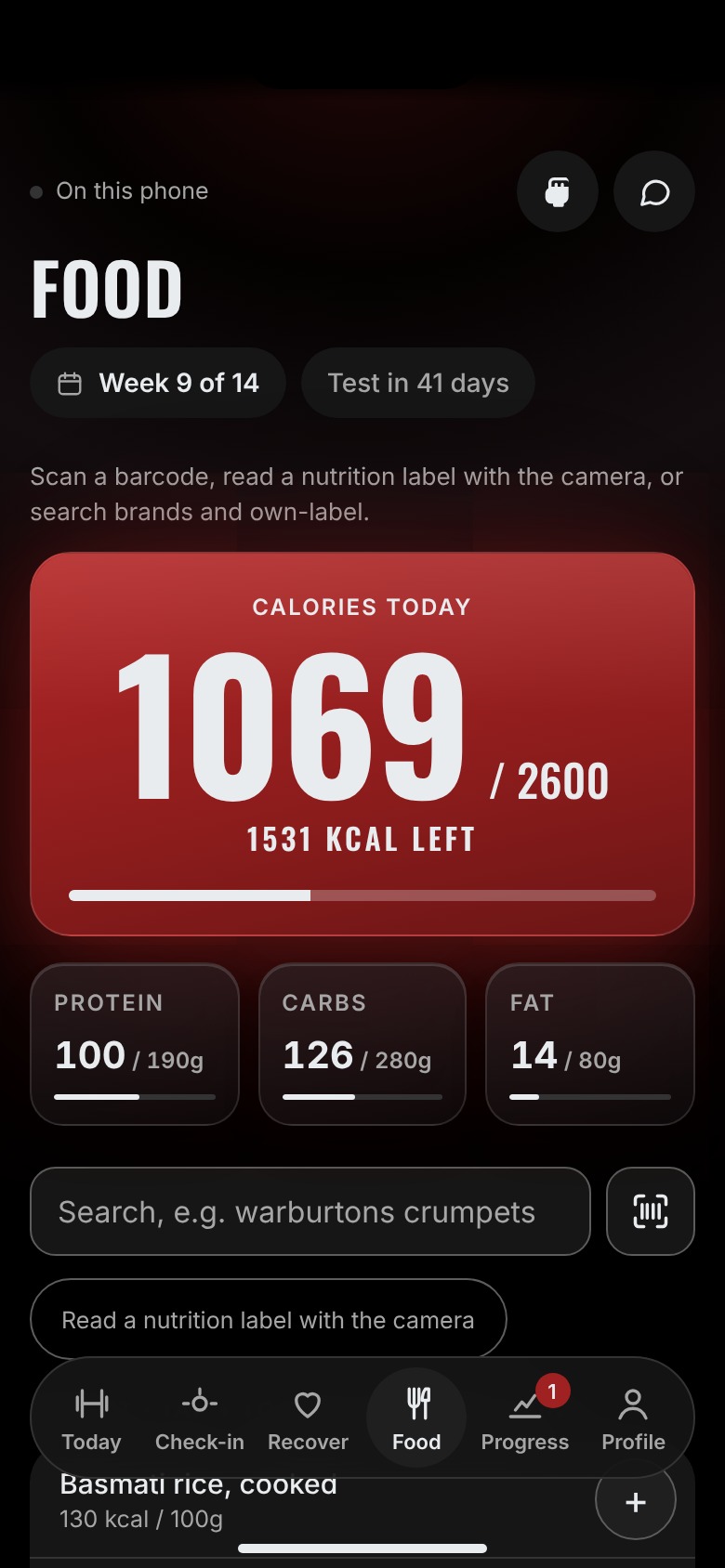
Food against your targets
Scan the barcode, photograph the label, or search UK brands.
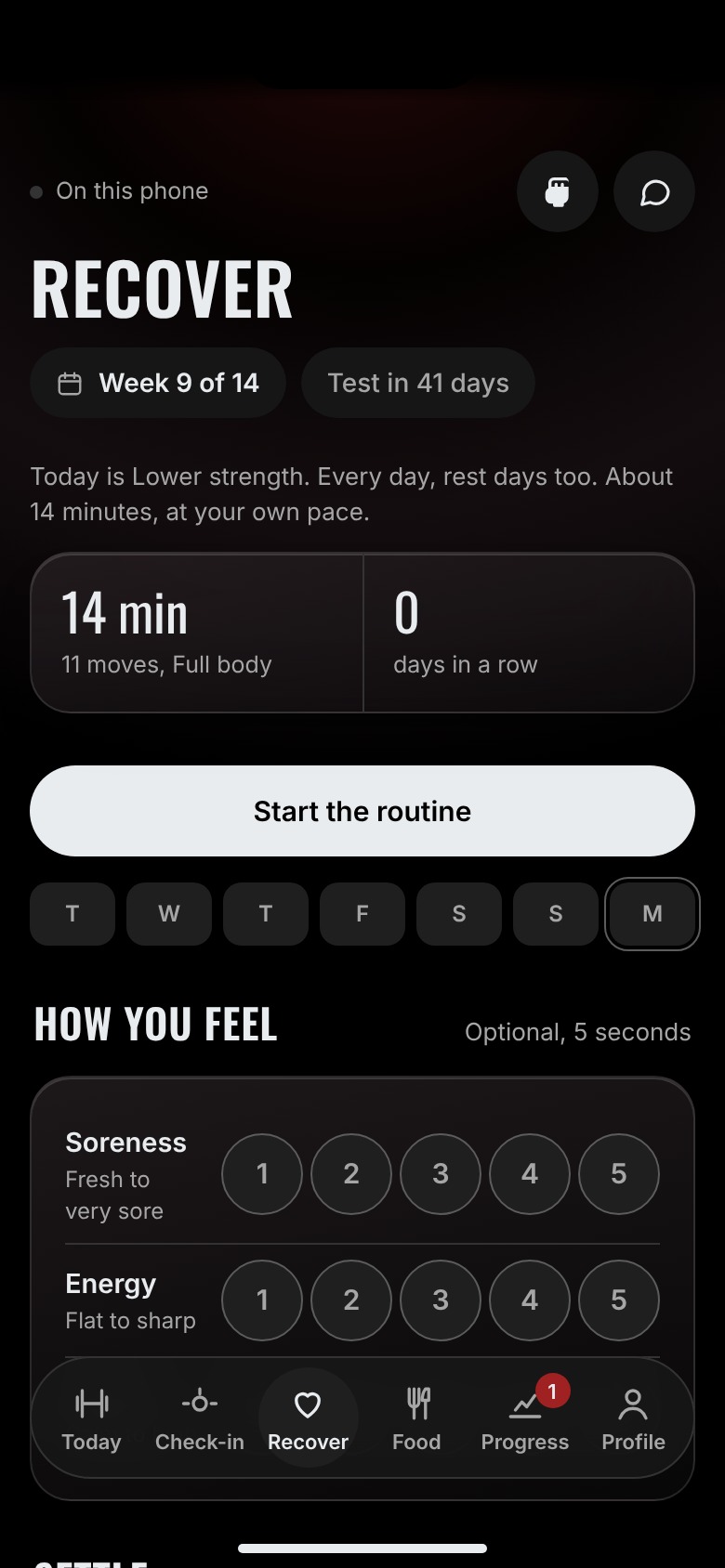
A daily recovery routine
Ten to fifteen guided minutes, built around the day’s session.
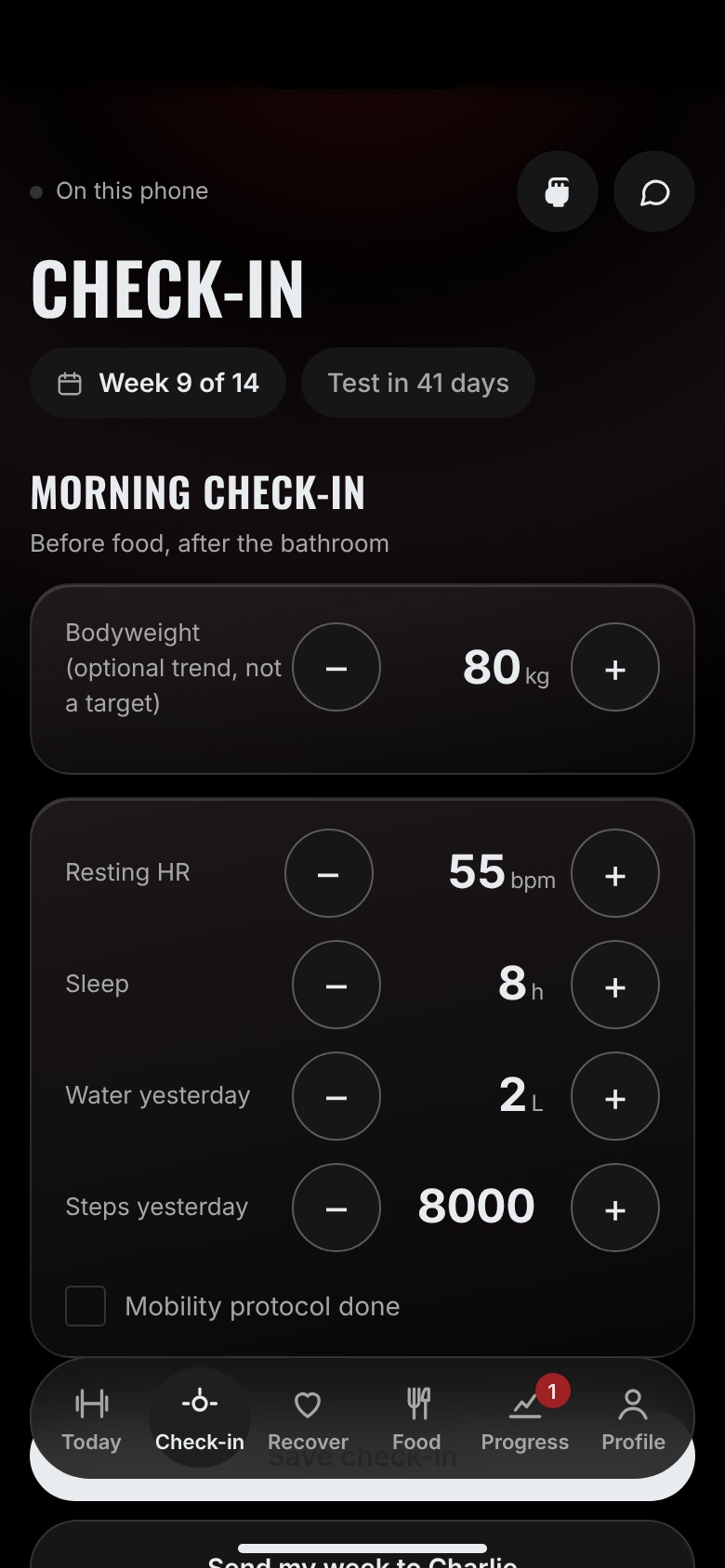
Two-minute check-ins
Bodyweight, resting heart rate, sleep, water and steps.
Home
Everything for today, on one screen
Open the app and the first thing you see is where you stand: your capability rating, today’s session, the calories you’ve got left, whether you’ve checked in, and how many sessions you’ve logged this week. Tap any of them and you’re there.
- Your rating out of 100, with the change this week
- Today’s session, food left, check-in and the week, in four tiles
- The one thing worth acting on, flagged before it becomes a stall
Your programme
Today’s session, already written
The app opens on the session you’re due. Every exercise with its sets, reps, rest and target effort — and the load worked out from what you lifted last time, not from a generic template.
- Your sessions for the week, in order, one tap apart
- Target load and reps for every exercise, updated as you progress
- A coaching cue on every movement: what it’s for, what to feel, when to stop
Workout tracking
Log it while you’re still stood there
Weight, reps and how hard it felt, set by set. The effort scale only offers the range that exercise is meant to live in, so the number means something — and it’s what tells the app whether you add weight or add a rep next time.
- Load in kg, reps, and effort (RPE) for every working set
- Last time’s numbers and this week’s target shown above the logger
- Rest timer starts itself when you save a set
Progress
A score you can’t argue with
Everything you log is charted against what the programme said should be happening. One rating out of 100 — strength, conditioning and consistency — and a flag on anything drifting before it becomes a stall.
- Capability rating, updated as you log
- Every tracked lift charted against its plan line
- Plain-English flags on what needs attention this week

For fighters
Fight training, built in.
Boxing, Muay Thai and MMA rounds, a bell you can hear with the phone locked in your pocket, and conditioning tested the same way every block.
Round timer
Built for fight training
Boxing, Muay Thai and MMA presets, or set your own rounds and rest. The bell keeps ringing with the phone locked in your pocket, so it works on the bag, on the pads, or in sparring.
- Custom round length, rest and number of rounds
- Keeps timing with the screen off
- Rest timer and timed exercises run on the same clock
Nutrition
Fuelling, tracked properly
Scan the barcode or search the brands you actually buy, and it lands against your targets for the day. Set up around what you already eat, so it survives a bad week rather than collapsing on day four.
- A barcode scanner built into the app
- No barcode? Photograph the nutrition label and it reads the numbers for you
- UK products and brands first; anything you add yourself is saved for next time
- Log a serving, the grams, or the whole pack, with one tap to repeat a recent food
- Calories, protein, carbs and fat against targets set for you
Recovery
Ten to fifteen minutes, every day
A daily mobility routine, rest days included. It’s built around the session you’re training today, or gets you ready for the next one on a rest day. A timer runs each move and gives you a few seconds to read it first, so you follow along instead of reading a list.
- Follows the day’s training: lower body, upper body, power or conditioning
- Guided move by move, or tick it off if you did it on your own
- Rate soreness, energy and stress in five seconds, and keep the streak going
- Counts towards your consistency score
Check-ins
Two minutes that keep it honest
Log bodyweight, resting heart rate, sleep, water and steps, then send the week to me in one tap. That’s what I look at alongside your training data before changing anything.
- Takes two minutes
- Trends charted, so one bad night doesn’t look like a trend
- Feeds straight into what changes next week
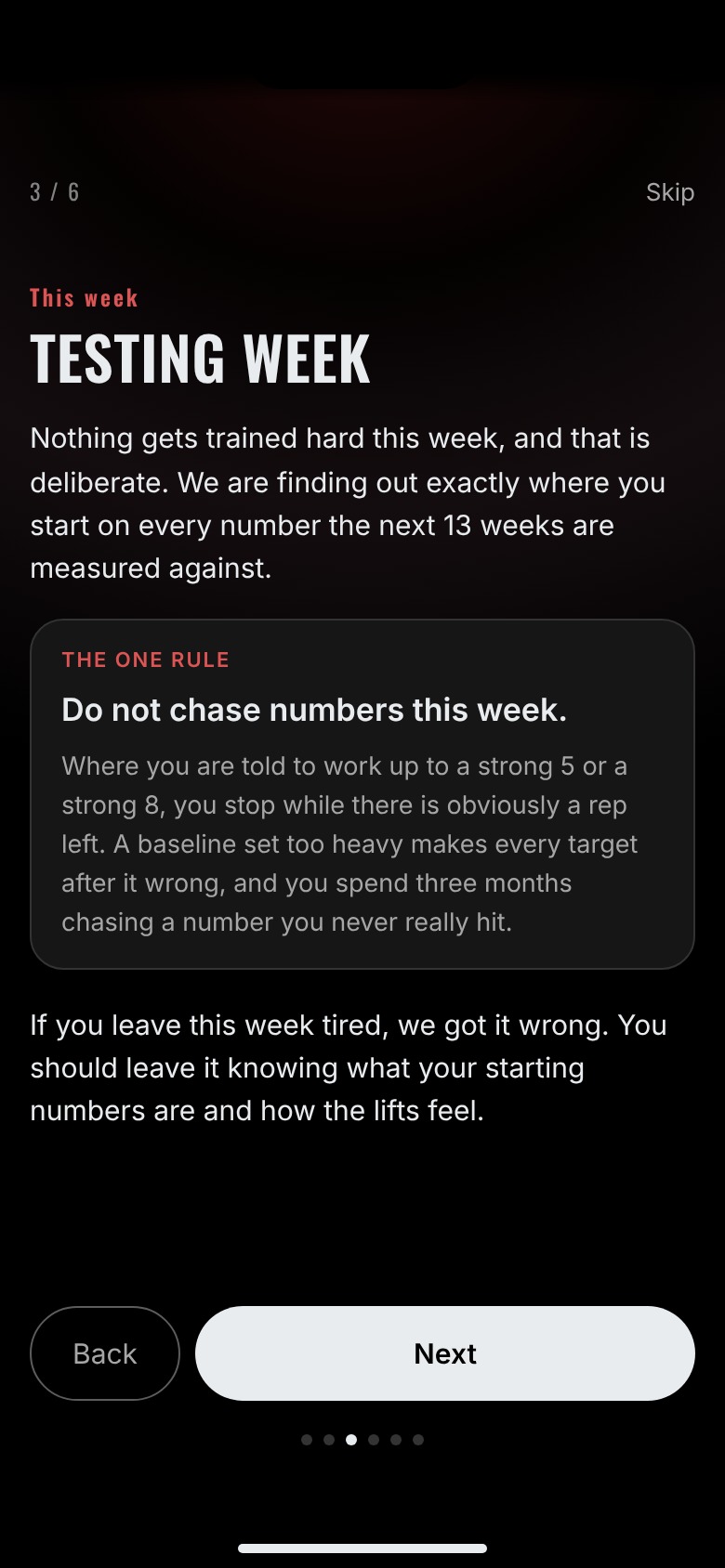
Where it starts
The testing week
Your first week isn’t training. It’s four testing sessions that establish exactly where you are, and the app walks you through each one — what it gathers, and how to run it.
Everything afterwards is measured against these numbers.
And
Accountability, built in
Send a form-check video from the exercise you’re on, and message me between check-ins when something hurts or doesn’t make sense.
Form checks
One tap from any exercise opens a message to me with the lift already named. Attach the video and send.
Direct line
A coach tab inside the app, so questions don’t wait for the weekly check-in.
Works with no signal
Your data lives on your phone first, so the worst-connected gym in the country is fine. It syncs when you’re back online, and you can export a copy any time.
See it with your own numbers in it
The app comes with the coaching.
It’s how the coaching gets delivered — not something sold on its own.